Think out loud.
Make something worth reading.
Start with spoken ideas or rough notes. Shape them into an article, an email, or a post—with a local writing model on your Mac.
Compose is being tested privately. It is not included in SpkIt’s initial releaseand is not available to purchase or download.
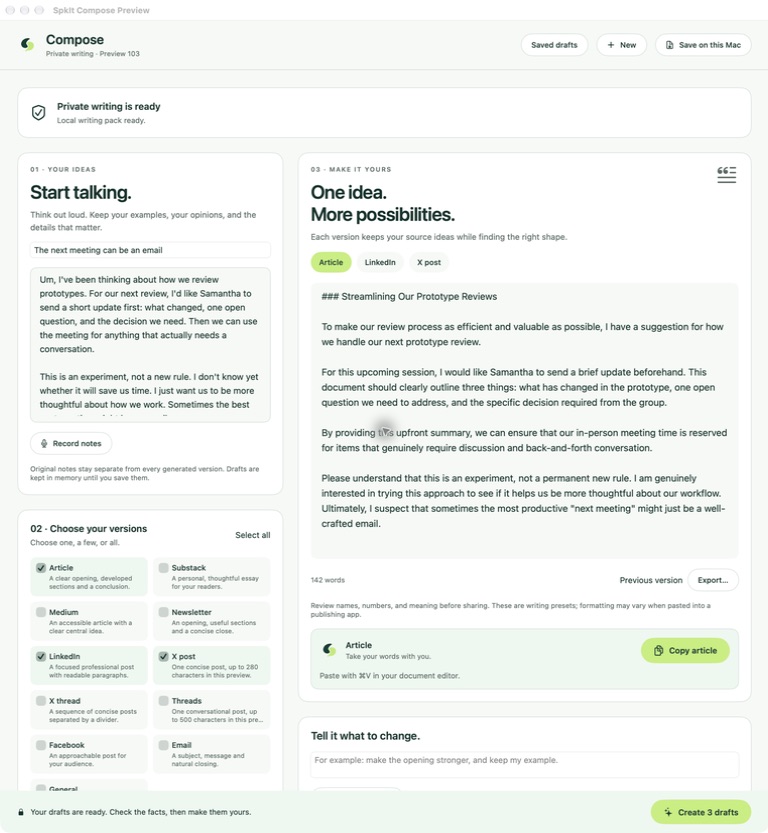
Keep the idea.
Work on the wording.
Your original notes stay available as you choose versions, make changes and decide what to share.
- 01
Start with your notes
Speak a thought or add text. A rough first pass is enough to begin.
- 02
Choose your versions
Pick the formats, voice and length that suit what you want to write.
- 03
Make it yours
Review the draft. Ask for a revision or edit the words yourself.
- 04
Take it with you
Copy the version you want, then paste in your editor. You choose when to publish.
One idea has more
than one good shape.
A longer read, a short update, or a useful email. Choose one version, a few, or all.
Make room for the idea.
- Article
- Substack
- Medium
- Newsletter
Find the shorter version.
- X post
- X thread
- Threads
Get the everyday words right.
- General
These are writing presets, not connected accounts. Copy your newsletter into beehiiv or another editor; review formatting in the destination app.
From notes
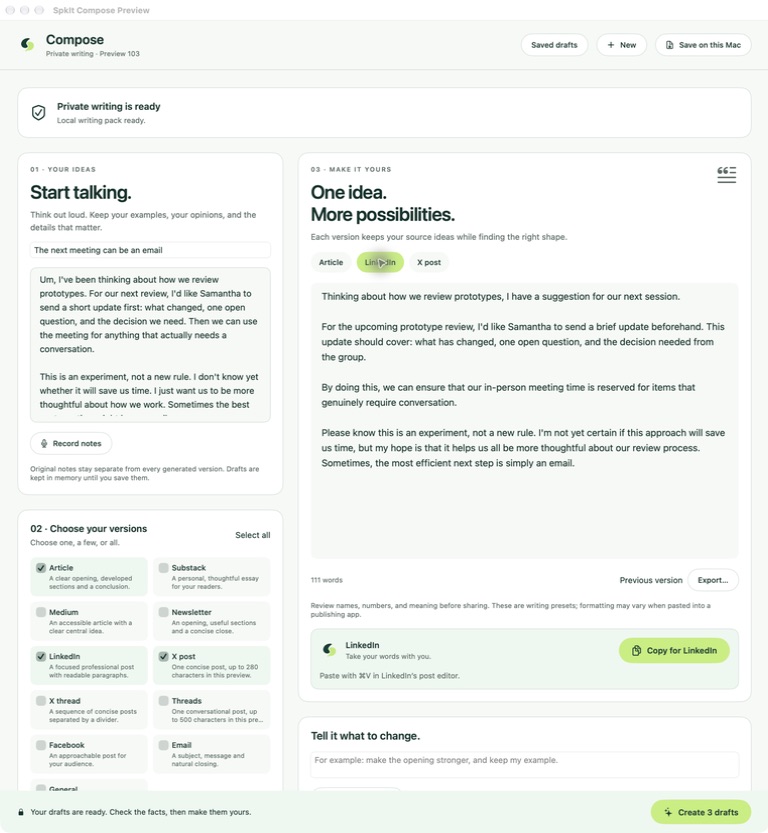
to a LinkedIn draft.
Keep the source beside the draft. Refine the tone, check the details, then use the format’s Copy button to take it to LinkedIn.
Find the words
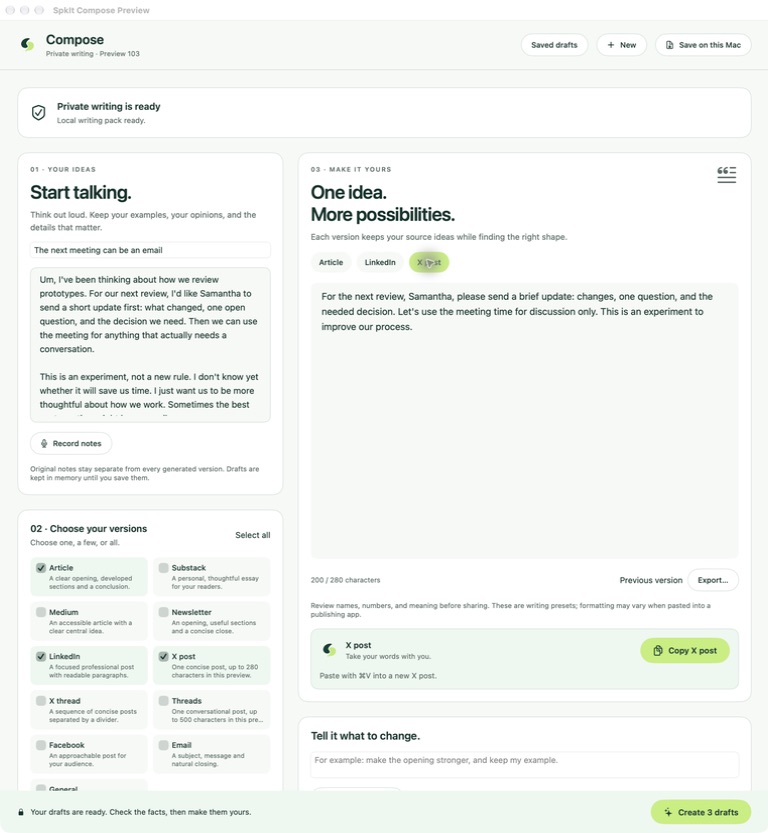
for a shorter post.
Switch to the X version, review the character count and copy the selected post. For a thread, the copy includes every post; paste them separately without the divider lines.
Review names, numbers and meaning before sharing. Compose can make mistakes; the final words are yours to approve.
A bigger draft.
Still on your Mac.
Compose’s separate local writing pack processes your notes and drafts on your Mac, without a cloud writing service. Dictation continues to use Apple’s on-device speech and cleanup.
A guided installation is planned for release. Public download setup and final storage requirements are still being finalized. Software and model downloads may need the internet; local writing does not send your notes to a writing service.
Try it when it’s ready.
Keep it with one payment.
Compose is not included in the dictation price. The plan is a separate purchase, with no subscription or automatic charge.
7 days free
A separate trial is planned for SpkIt dictation owners. Start it explicitly after setup when Compose is ready; decide whether to buy at the end.
$49.99 once
A $19.99 introductory offer is planned. Availability, eligibility and offer terms will be confirmed before launch. Apple will show the available local price before any purchase.
Preview only. There is no public Compose download, trial or purchase yet. Pricing shown is planned in US dollars.
Before the
next draft.
How is Compose different from dictation?
Dictation turns what you say into cleaned-up text for the app you’re using. Compose works from your notes to create a longer or differently shaped draft. You review it, revise it, and explicitly copy or export the version you want.
Does it post to my accounts?
No. Compose doesn’t connect to LinkedIn, X, or your publishing accounts. Its writing presets help shape the draft; you copy the text into your chosen app and publish there yourself.
What stays on my Mac?
Speech, cleanup and Compose drafting are processed locally. The current preview can save source notes and drafts in a separate encrypted local library. Copying or exporting text makes it available to the destination you choose; clipboard managers and other apps have their own storage and sharing behavior.
Can I use the existing dictation trial for Compose?
Compose is planned as a separate optional upgrade with its own seven-day trial. The core dictation trial and purchase do not include it. Final availability and trial terms will be confirmed before launch.
Which Mac will I need?
The current development preview runs on Apple silicon with macOS 27 or later and a separate local writing pack. Final Compose hardware and storage requirements will be published before release.
For everyday words, start with SpkIt dictation.